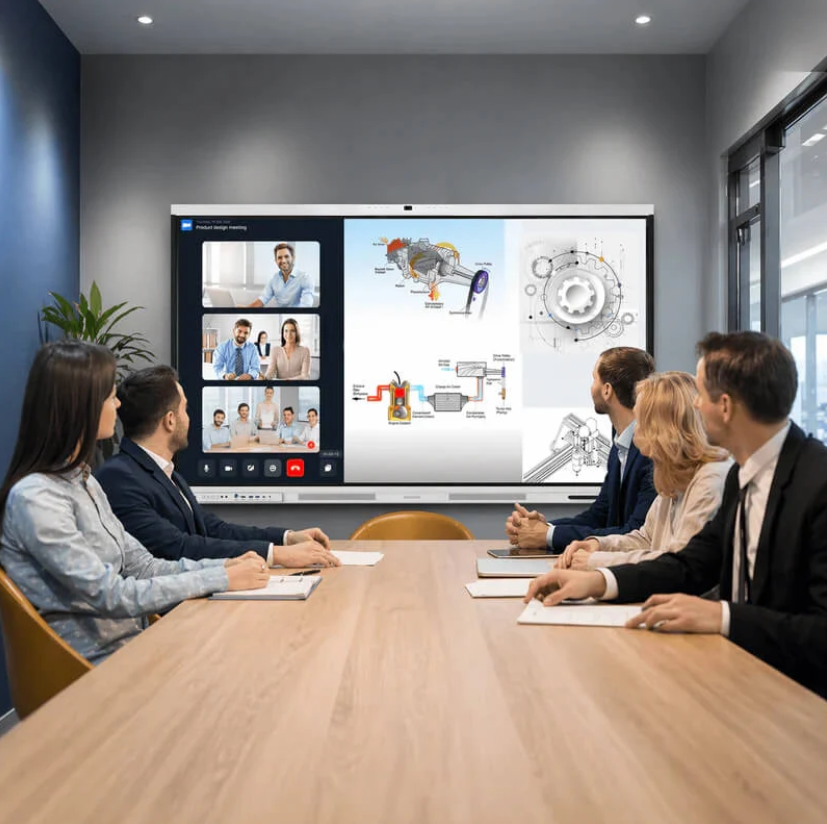
Choosing an interactive display involves more than comparing screen sizes or touch functions. Different rooms support different activities, from daily lessons and employee training to short team discussions and executive meetings. The right setup depends on how people share information, interact with content, and make decisions. Understanding these differences helps schools and businesses select equipment that fits their routines without paying for features they rarely use.
Nework develops smart audiovisual display and collaboration solutions for education and business environments. With over 20 years of professional audiovisual industry experience, the company offers the NewBoard interactive display series, which combines touch interaction, wireless screen sharing, collaborative annotation, and smart management. Schools, training providers, and corporate buyers can explore Nework smart board solutions to identify a setup that matches their room layout, collaboration needs, and equipment budget.
Classrooms: Support Daily Teaching and Student Participation
Classrooms require displays that help teachers explain concepts and keep students involved. Teachers may present lesson slides, write notes, show diagrams, or discuss student answers. An interactive display brings these activities together on one screen, reducing the need to switch between separate presentation and writing tools.
Touch interaction is useful when a teacher needs to highlight a diagram or work through a problem step by step. Students can also participate in activities when classroom procedures allow. For K–12 schools, the value comes from making lessons easier to follow rather than adding technology for its own sake.
Wireless screen sharing can help teachers present content from compatible devices without relying entirely on physical connections. Before purchasing equipment, school administrators should check device compatibility, network conditions, and the way teachers access lesson materials. These details affect daily usability.
Schools should also consider classroom size, viewing distance, mounting arrangements, and access to power. A display that works well in a small teaching room may not suit a larger classroom. Staff training and maintenance arrangements matter too, especially when equipment is shared across multiple classes.
Training Rooms: Make Learning More Interactive
Corporate training rooms serve a different purpose. They support onboarding, software demonstrations, product instruction, workshops, and internal knowledge sharing. Participants may need to follow a presentation, examine process diagrams, and contribute ideas during the same session.
An interactive display allows trainers to annotate slides, explain workflows, and record key points during discussions. Collaborative annotation can also help teams review procedures or compare alternative approaches. These functions are useful when training involves problem-solving rather than passive viewing.
For businesses, the equipment should match the number of participants and the frequency of training sessions. A room used every week may justify a more integrated setup than a space reserved for occasional presentations. Buyers should also assess how easily different trainers can connect their devices and begin a session.
The Nework smart board range includes functions suited to interactive presentations and collaborative work. Buyers evaluating such displays should ask how screen sharing works with their existing computers, whether staff can operate the interface with limited training, and what support is available if technical problems interrupt a session.
Huddle Rooms: Keep Short Meetings Focused
Huddle rooms are designed for small groups and quick discussions. Teams may use them to review project updates, discuss customer feedback, or resolve a problem before returning to their main tasks. In these spaces, complicated setup procedures can consume a significant part of a short meeting.
A compact, practical display setup should make it straightforward to present information and exchange ideas. Wireless sharing helps participants introduce content from compatible devices, while touch annotation can clarify a chart or highlight an action item. The goal is to reduce friction at the start of each discussion.
Room dimensions should guide display selection. Buyers need to consider the distance between the screen and seating, the number of regular participants, and whether people will join remotely. Cable placement and network access should also be planned before installation.
Cost control is particularly important when a company equips several huddle rooms. Procurement teams can standardize compatible equipment and connection procedures across locations. This can simplify staff onboarding and routine support, provided the chosen setup meets the needs of each room.
Boardrooms: Present Information for Decisions
Boardrooms support formal discussions involving budgets, operational plans, performance reports, and business strategy. Participants need to read figures clearly, compare information, and discuss proposals without losing track of the meeting agenda. Screen visibility and presentation reliability therefore deserve careful attention.
An interactive display can help presenters annotate charts, mark important figures, and explain changes directly on screen. Wireless sharing may also reduce the need to pass presentation cables between speakers. However, buyers should verify compatibility with existing computers, conferencing equipment, and meeting software before selecting a system.
Audio and video requirements need separate consideration. A display with interactive functions does not automatically provide every microphone, camera, speaker, or conferencing capability a boardroom may require. Procurement teams should map the complete meeting workflow and identify which components are already available.
Security, administration, and ongoing support also matter in executive environments. Buyers should review available device-management functions, software update procedures, warranty terms, and service arrangements. Clear responsibilities for maintenance can reduce disruption when equipment needs attention.
Compare Room Requirements Before Purchasing
Although the four room types share some requirements, their priorities differ. Classrooms emphasize teaching interaction, training rooms support structured learning, huddle rooms favor quick collaboration, and boardrooms require clear presentations for group decisions.
Before purchasing, schools and businesses should assess room size, daily tasks, connectivity, deployment, and ownership costs. They need to check viewing distance, seating capacity, and screen placement to determine whether the display suits the space. They should also identify how users will present content, annotate materials, teach lessons, or discuss documents. Compatibility with existing devices, networks, and conferencing tools should be confirmed before installation.
Deployment planning should cover mounting, power access, setup procedures, and staff training. Buyers should also compare the purchase price, required accessories, maintenance needs, warranty coverage, and expected service life to understand the overall cost.
Involving regular users in product demonstrations can make the decision more practical. Teachers can test lesson delivery, trainers can rehearse a workshop, and office teams can simulate a short meeting. These trials may reveal usability issues that a specification sheet does not show.
Match the Display to the Way People Work
A classroom, training room, huddle room, and boardroom should not automatically receive the same display configuration. Their users have different expectations, and their daily activities place different demands on collaboration equipment. Matching features to actual tasks helps buyers control costs and avoid unnecessary complexity.
When comparing options, procurement teams can evaluate Nework smart board products alongside room requirements, compatibility, deployment needs, and after-sales arrangements. Nework provides interactive display solutions for education and business collaboration. A clear requirements list and a realistic room trial can help organizations decide whether the proposed equipment fits their teaching or meeting workflow.