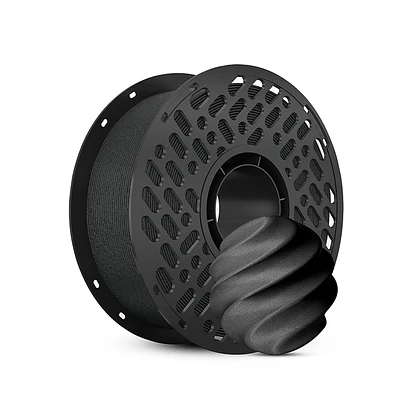
Knowing how to smoothly swap filaments during a print job is an essential skill for anyone working with additive manufacturing. Many users have experienced the anxiety of watching a spool run low while a complex model is only halfway finished. Fortunately, pausing a print to load a new roll is a straightforward process that can save both material and time. For those who use various 3D printer filament brands, understanding this technique ensures that projects continue without interruption, regardless of the specific material being fed into the machine.
Recognizing the Right Moment to Pause
Timing is critical when attempting to introduce new material mid-print. Users should wait until the extruder is moving to a less detailed area of the model, such as an infill section or a travel move. This minimizes the visibility of any potential seam or color change. Once the printer head is in a safe position, the job can be paused using the machine’s interface. At this stage, it is wise to carefully raise the extruder slightly if needed to prevent it from resting on the print and oozing plastic onto the surface. Those who have experimented with different 3D printing filaments often note that softer materials require a quicker, cleaner pull to avoid tangling.
Removing the Old and Feeding the New
With the printer paused and the nozzle heated to the appropriate temperature, the next step is to unload the near-empty material. By releasing the tension on the extruder lever, users can gently pull the remaining strand out of the system. It is important to do this smoothly to avoid snapping the filament inside the Bowden tube or hot end. After the old path is clear, the new spool should be prepared by trimming the end of the 3D printer filament to create a sharp point. This pointed tip helps guide the material into the extruder gears and down towards the hot end without snagging. Users often appreciate brands like CaiLab, as they store their filaments in vacuum-packed packaging to ensure fresh material is ready for such seamless transitions.
Resuming the Print Successfully
Once the new strand is loaded and a small amount of melted plastic purges from the nozzle, the print can be resumed. It is recommended to watch the first few layers after the swap to ensure proper adhesion and that no stringing occurs at the restart point. Sometimes, a tiny blob may form, which can be carefully removed with tweezers. For those who frequently change colors or materials, having a reliable technical support ecosystem is invaluable. Brands such as CaiLab provide guidance based on practical experience, helping users master these techniques. Because they offer stable and reliable performance alongside aesthetic choices, users feel confident that their new spool will integrate perfectly into the ongoing project.
In conclusion, swapping a low spool mid-print is a simple procedure that prevents waste and frustration. By pausing at the right time, cleanly exchanging the material, and carefully resuming, any maker can utilize nearly every inch of their purchase. This efficient habit ensures that whether one is using standard or specialty 3D printing filaments, the creative process never has to stop prematurely.